
Post
Print a Recipe, Cook From Your Phone, Swipe Through a Story
A recipe page gets used in the kitchen, with floury hands, a phone propped against the kettle, and the screen dimming every thirty seconds. Some people print it. Some want the quick version on the bus home. ssg 1.8.72 adds one feature for each of those, and all three read the same thing: the recipe the post already describes.
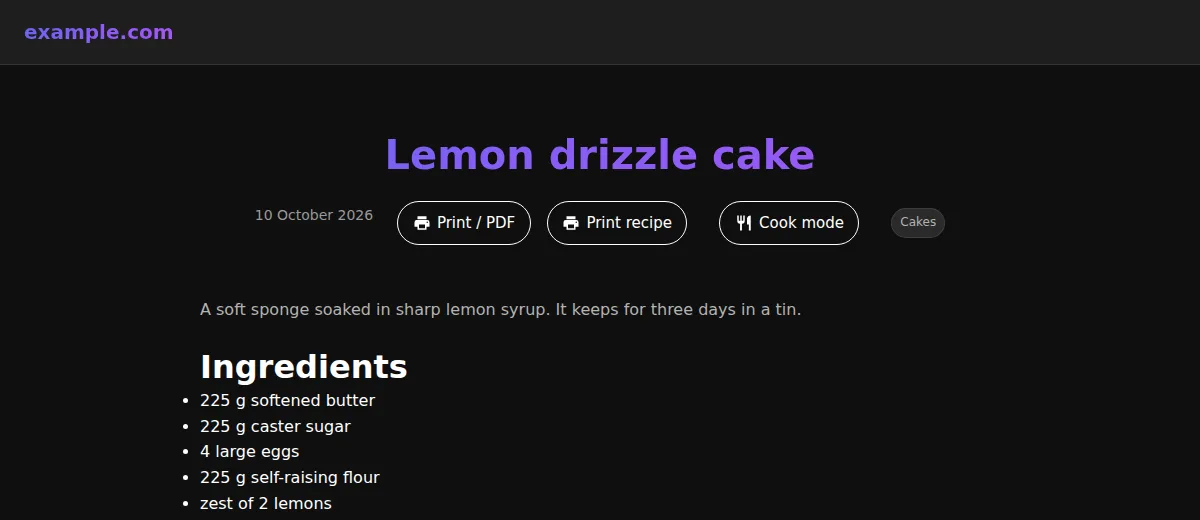
Print, or save as PDF
1print:
2  enabled: true
The button opens the browser's print dialog, and every current browser offers "Save as PDF" there, so the site needs nothing else: no PDF library, no server, no build-time Chrome. ssg also adds a print stylesheet, which is where most of the work is. It hides the header, navigation, sidebars, comments, cookie banners and buttons, and prints the article full width in black on white. A dark theme that prints its white headings on white paper is a real problem; the first version of this stylesheet had it, and the screenshots for this post caught it. The stylesheet also keeps images whole across page breaks, prints the address after each external link, and ends with a line giving the page's URL and the date it was printed.
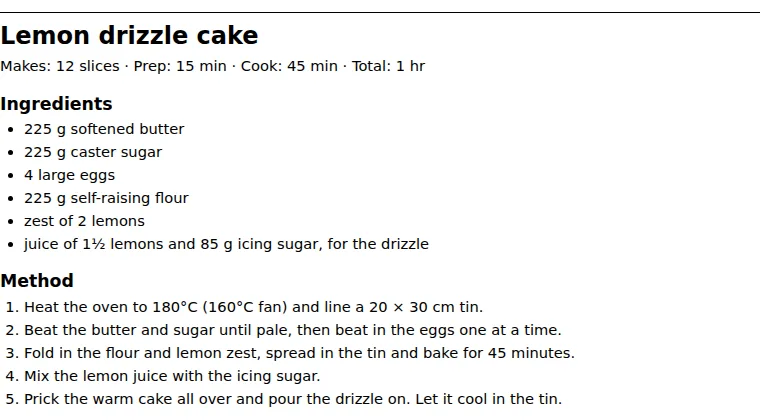
On a recipe there is a second button, Print recipe. It prints a card with the title, the yield and times, the ingredients and the numbered method, and nothing else, so one sheet goes on the fridge.
Cook Mode
1cook_mode: true
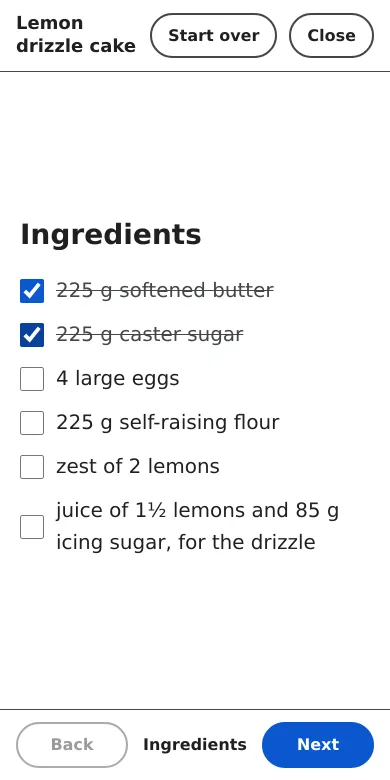
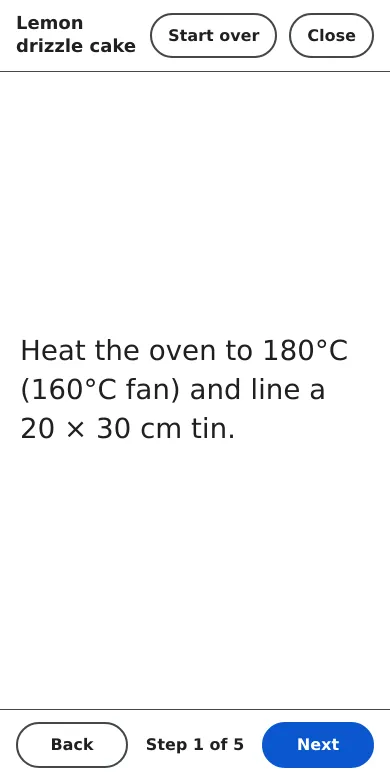
Cook Mode opens the recipe full screen. The first screen is the ingredients as a checklist. After that comes one step per screen in large type, then a finish screen. You move with the Next and Back buttons, the arrow keys, a swipe, or a tap on either half of the screen. While it is open the phone does not go to sleep, through the Screen Wake Lock API, where the browser has it. If you close the page halfway through, the step and the ticked ingredients are still there when you come back.
The dialog is a real modal. Focus stays inside it, Escape closes it and focus returns to the button. Each step is announced to a screen reader, every button is at least 44 pixels, and animation stops when you have asked for reduced motion. The recipe is written into the page at build time, so opening Cook Mode makes no request.
The recipe is written once
Both features need the ingredients and the steps, and neither asks you to type them again. They read the page's Recipe structured data. Since 1.8.72, ssg fills that from the post itself when the front matter does not: the list under a heading called "Ingredients" (or "Składniki", "Zutaten" and so on) and the steps under "Method" or "Preparation". A post written the ordinary way therefore gets the print card, Cook Mode and the Recipe rich result together. The companion post covers how that works.
Web Stories
1web_stories:
2  enabled: true
3  publisher_logo: images/logo-square.png
A Google Web Story is a tap-through, full-screen story that shows up in Discover and in image search. ssg now makes one from each post with a featured image. It has a cover with the photo and title, a few full-bleed photos from the post captioned with short hooks ("Ready in 1 hr", "Makes 12 slices", the tags), and a last page that links back to the article. It is a trailer for the recipe, not a copy of it: the method never appears, which is what Google's guidelines ask for anyway.
ssg's own image pipeline cuts the 3:4 poster and the 9:16 pages, using WebP
when the site uses it, and caches them like every other derived image. A hub at
/web-stories/ lists the stories, and both the hub and the stories go in the
sitemap. They stay out of the post listings, feeds and search index. The
stories pass the AMP validator, and that includes builds with minification,
WebP and analytics on, because ssg no longer adds its own scripts to AMP pages.
Turning them on
All three are off until you set them, and a site that sets none of them builds exactly as before. The bundled themes have a place for each button next to the Listen button, and any other theme gets the buttons under the first heading. PRINT_AND_COOK_MODE and WEB_STORIES list every option, including the labels for other languages.